Manage priority, assignee, and due date in dedicated columns, keeping checklist items organized and easy to track!
June 11th, 2026
New
Write a comment...
June 11th, 2026
New
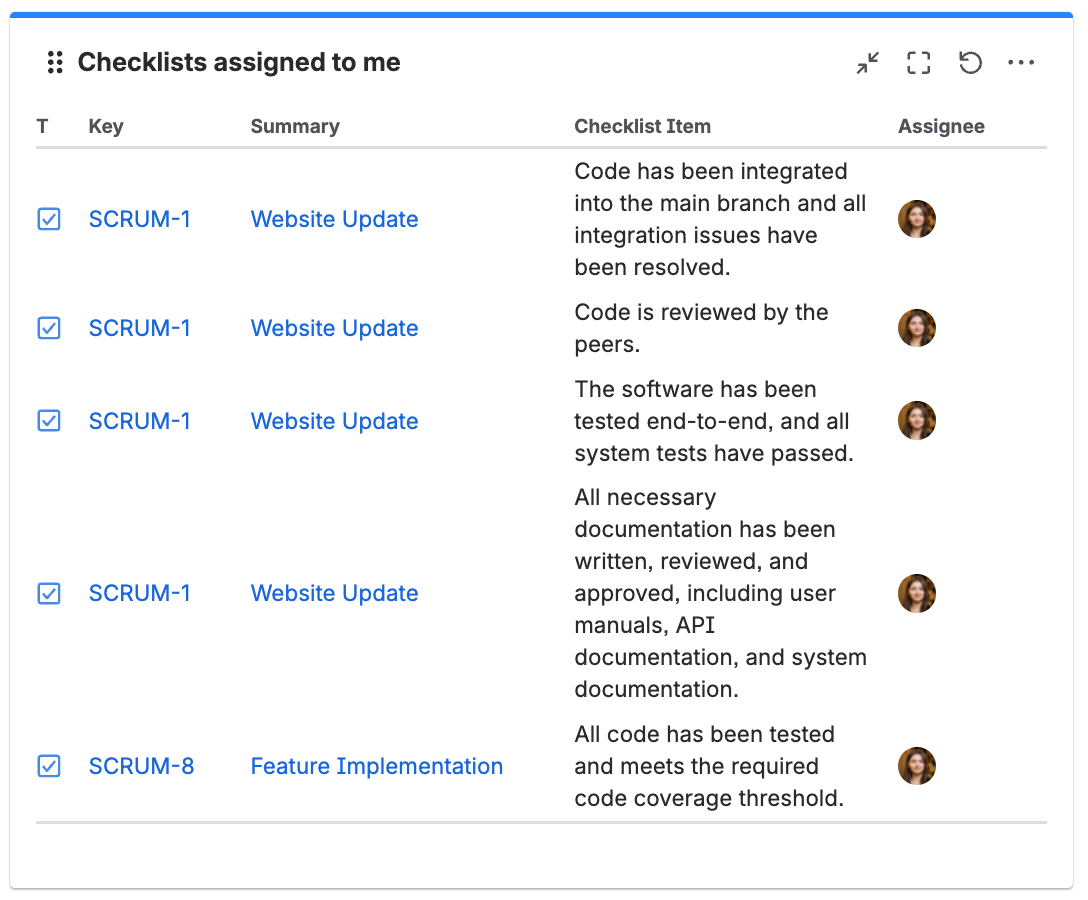
View all checklist items assigned to a specific user across Jira issues in one place. Quickly track ownership and monitor assigned tasks ✅
Write a comment...
June 11th, 2026
New
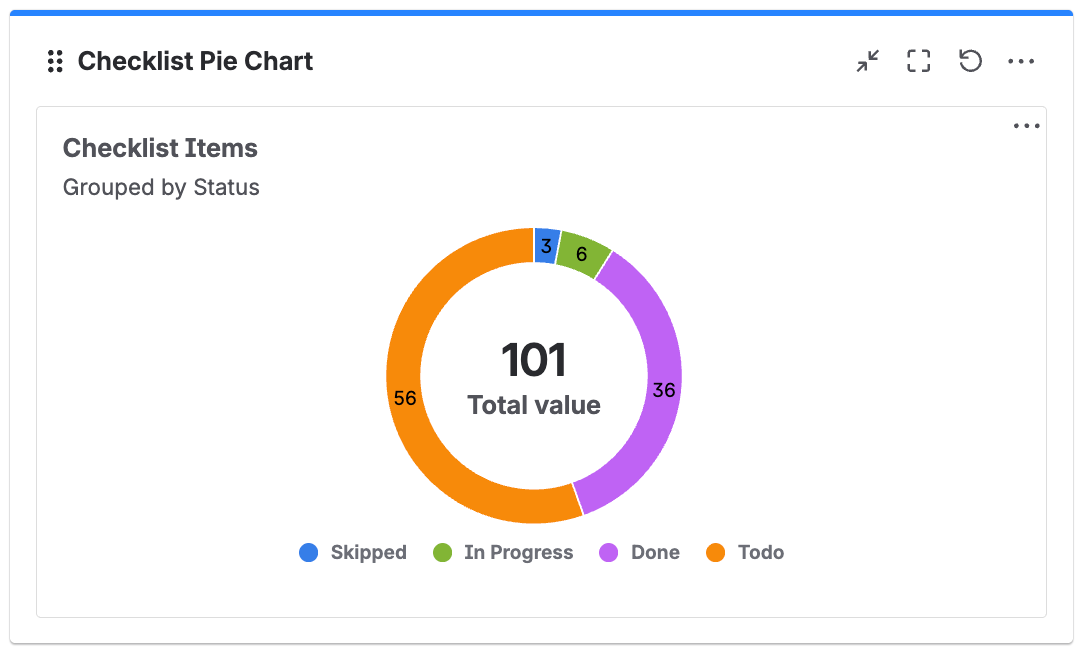
Visualize checklist item distribution as a pie chart. Group items by status category, status, or assignee to quickly understand workload and progress at a glance 📊
Write a comment...
April 24th, 2026
New

Write a comment...
April 24th, 2026
New
Enforce completion of checklist items within a specific header or tab before allowing an issue to transition. For example:
✅ Ensure Definition of Done is fully completed before transitioning an issue to Ready for Testing
🐞 The Testing checklist is completed before moving an issue forward to Ready for Release
Write a comment...
April 24th, 2026
Improved
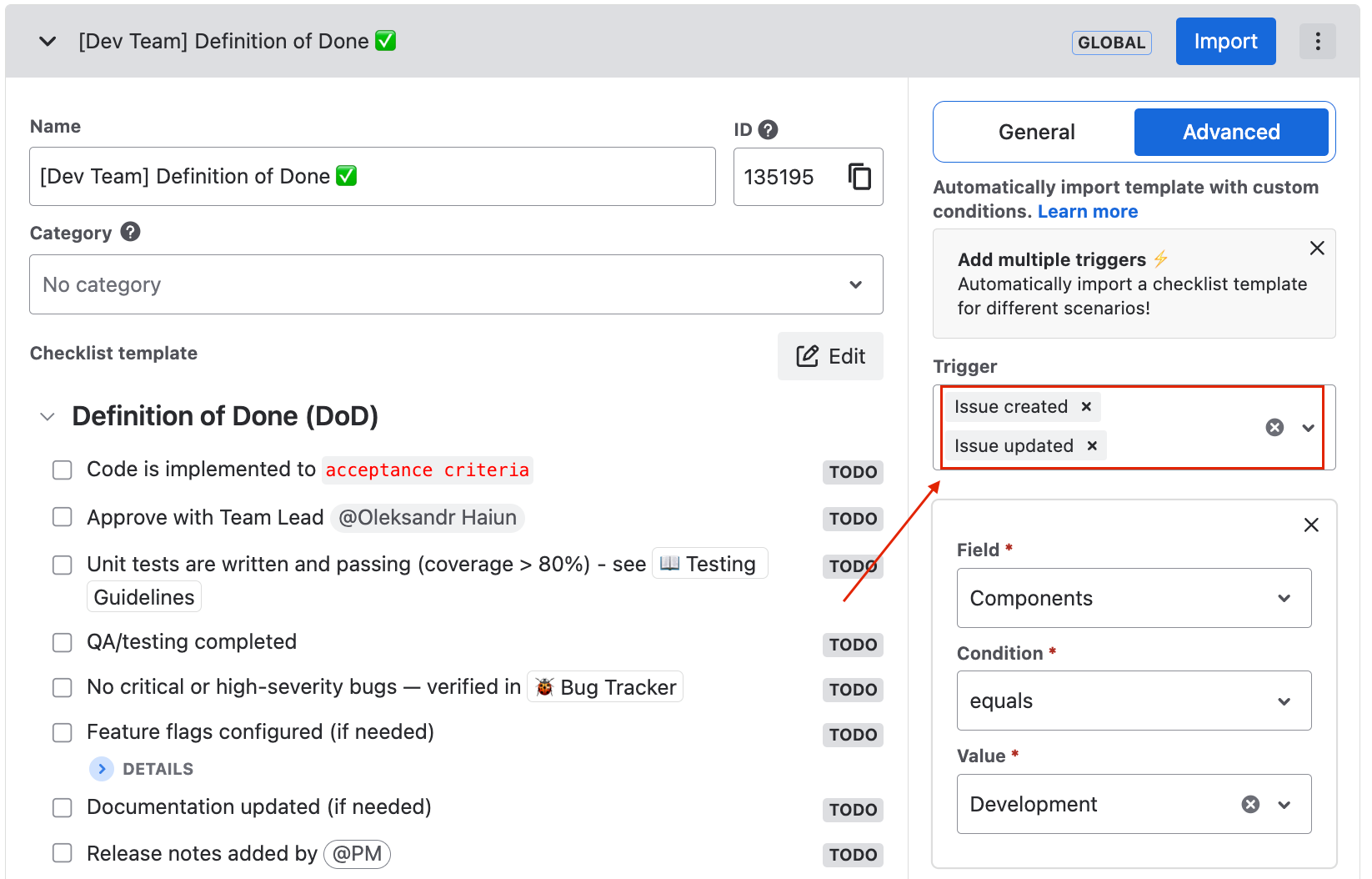
Now you can add Multiple Triggers to Default Template Conditions, allowing conditions to be applied regardless of which trigger fires⚡️
For example, a Definition of Done (DoD) should always be enforced when the Component is set to Development – whether the issue is created or updated.
Write a comment...
February 26th, 2026
New
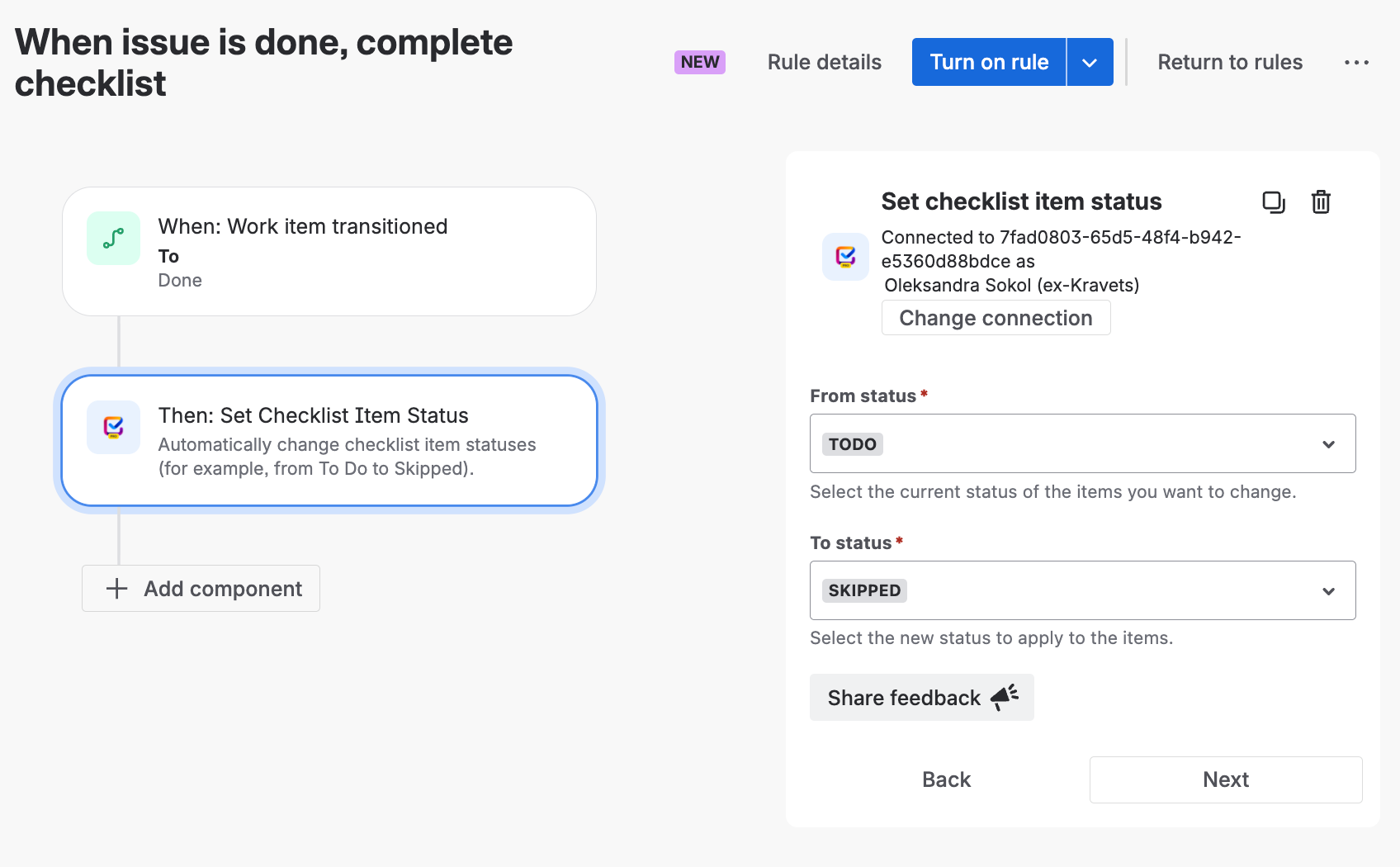
Now you can automatically update checklist item statuses with Automation for Jira⚡️
For example, move checklist items from To Do to Done or Skipped when the issue is resolved.
Write a comment...
February 26th, 2026
Improved
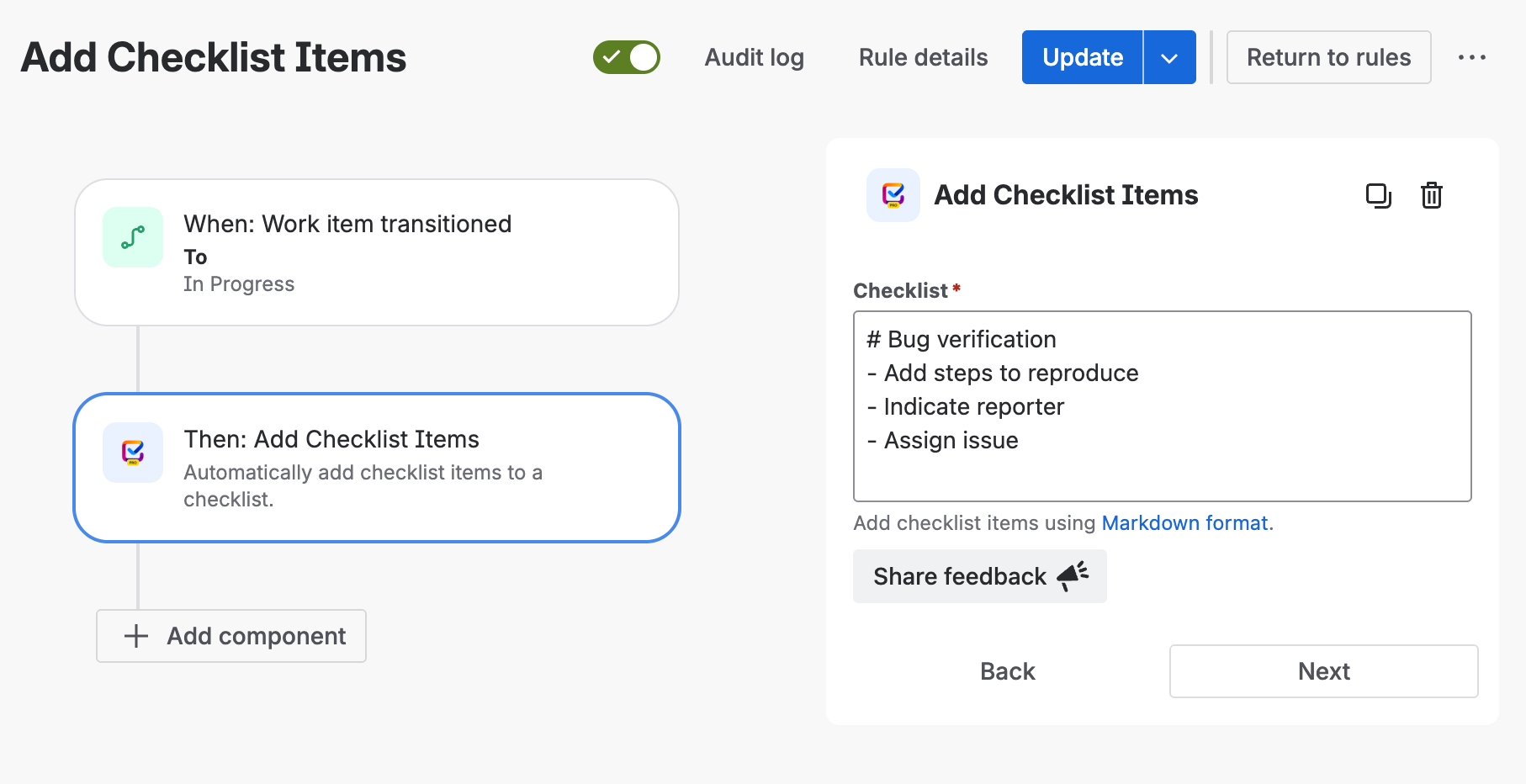
Now, automatically importing checklist items is simpler – just use the “Add checklist items” action in Jira Automation⚡️
Write a comment...
February 23rd, 2026
New
Turn any checklist item into a Jira Sub-task in one click, with key details automatically pre-filled.
Write a comment...
January 23rd, 2026
New
Switch between list and tab checklist view! Organize long checklists into structured tabs 😍
📁 Break down long checklists into focused sections
📊 Track progress per checklist tab
👀 Improve readability of checklist
🎯 Help teams focus on one part of the work at a time
Write a comment...